Create Auto Scaling Group
Create Auto Scaling group
-
Search EC2 , scroll down to Auto Scaling group to create a new one
-
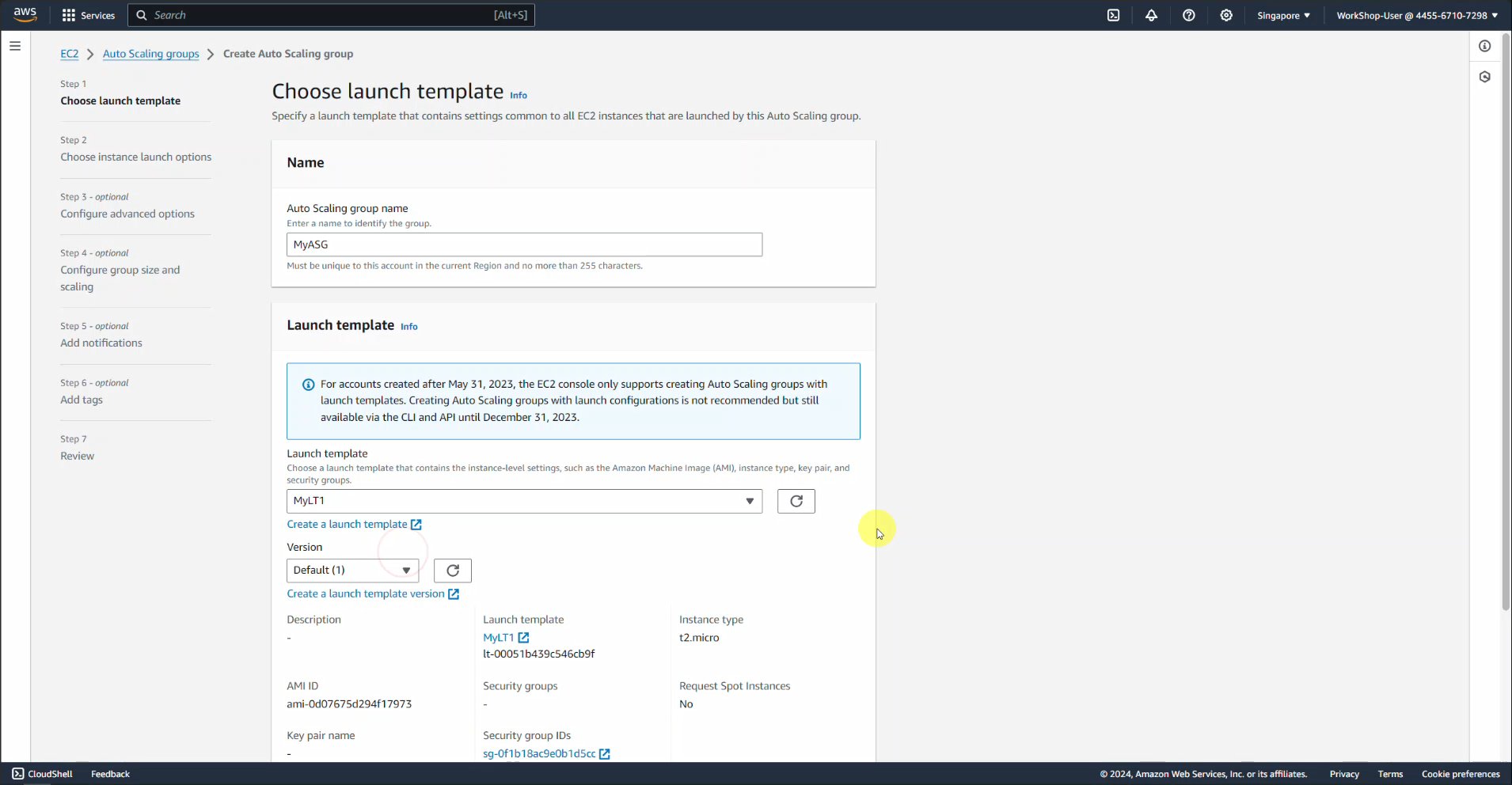
Section Name , enter MyASG
-
In Launch Template, select MyLT1 and click Next
-
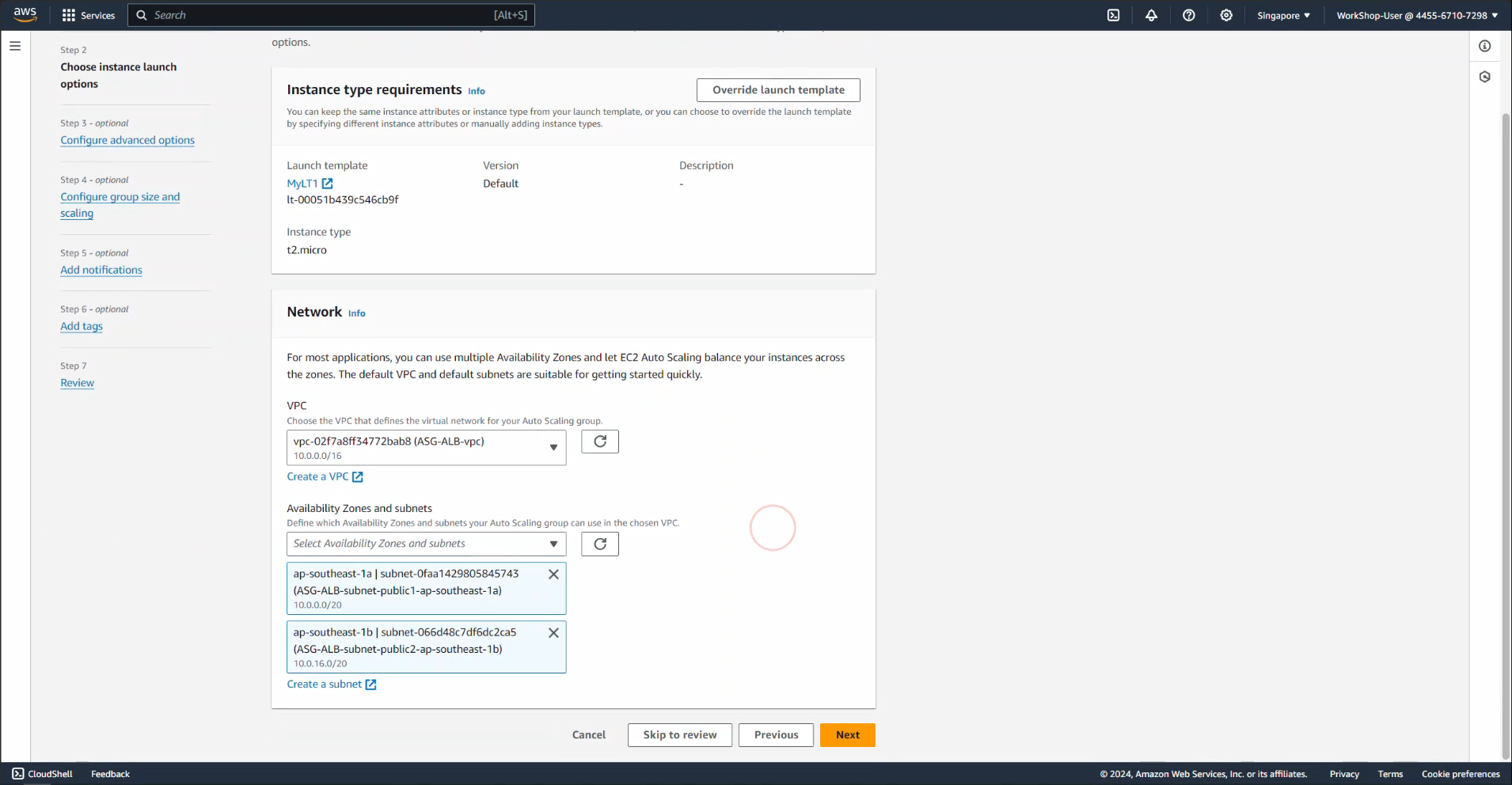
In Network section, select VPC as ASG-ALB-vpc and select 2 public subnets and click next
-
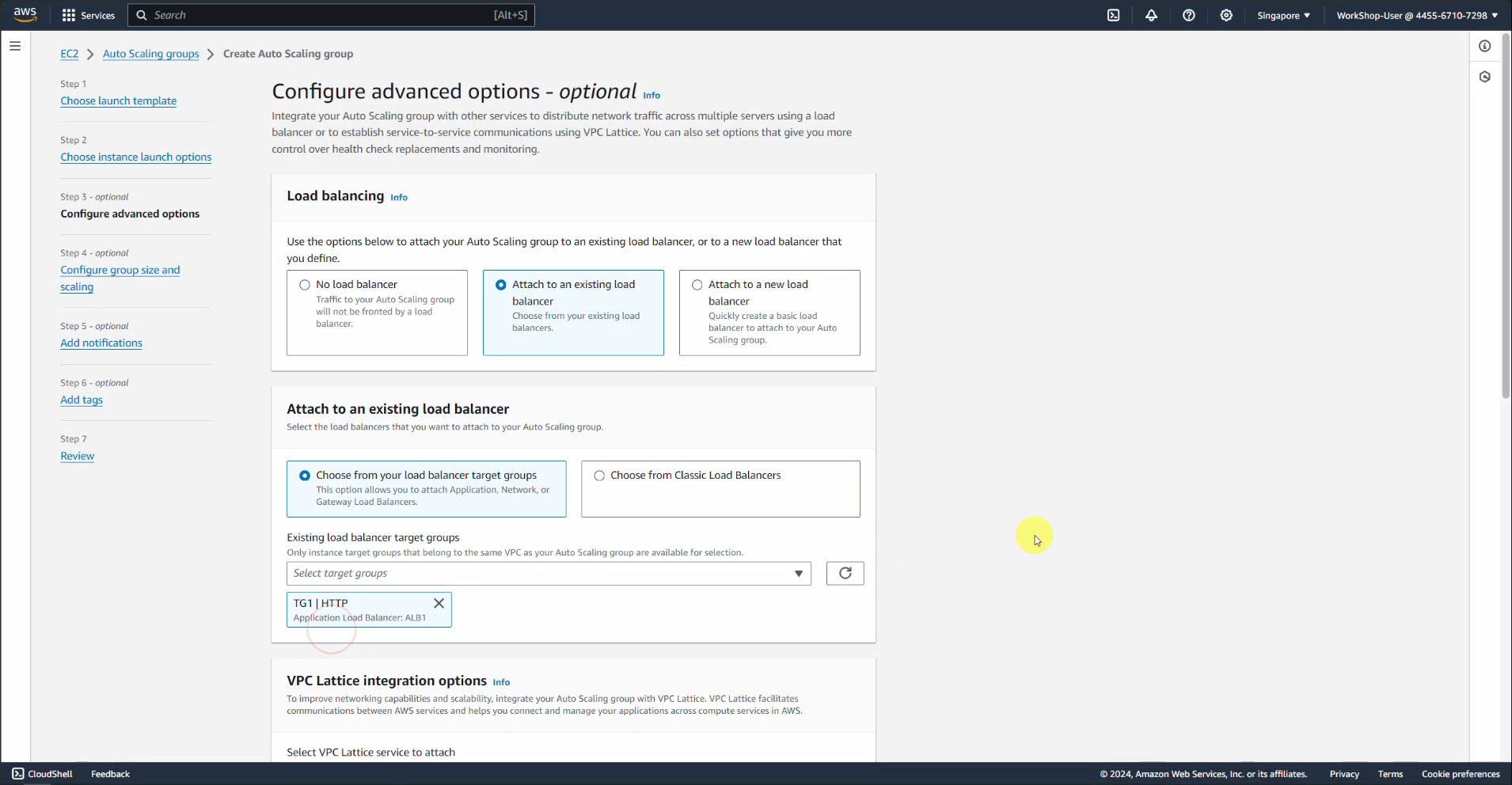
Select Attach to an existing load balancer
-
In the Attach to an existing load balancer section below, select Choose from your load balancer target group
-
Select TG1
-
Leave the rest as default and select Next
-
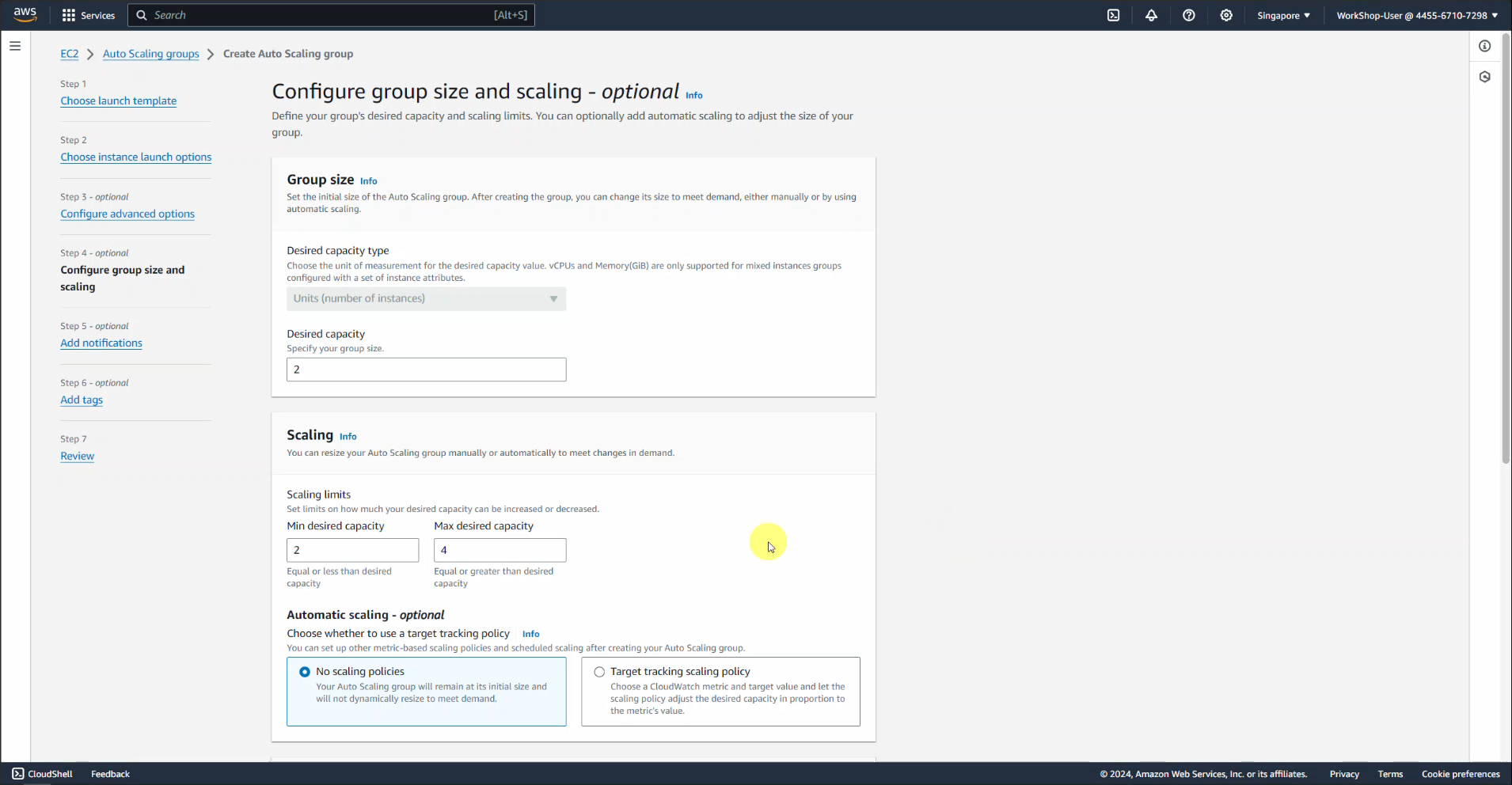
In the Group size section, set Desired capacity to 2
-
In the Scaling section:
- Min desired capacity : 2
- Max desired capacity : 4
-
In the Automatic scaling section, select Target tracking scaling policy
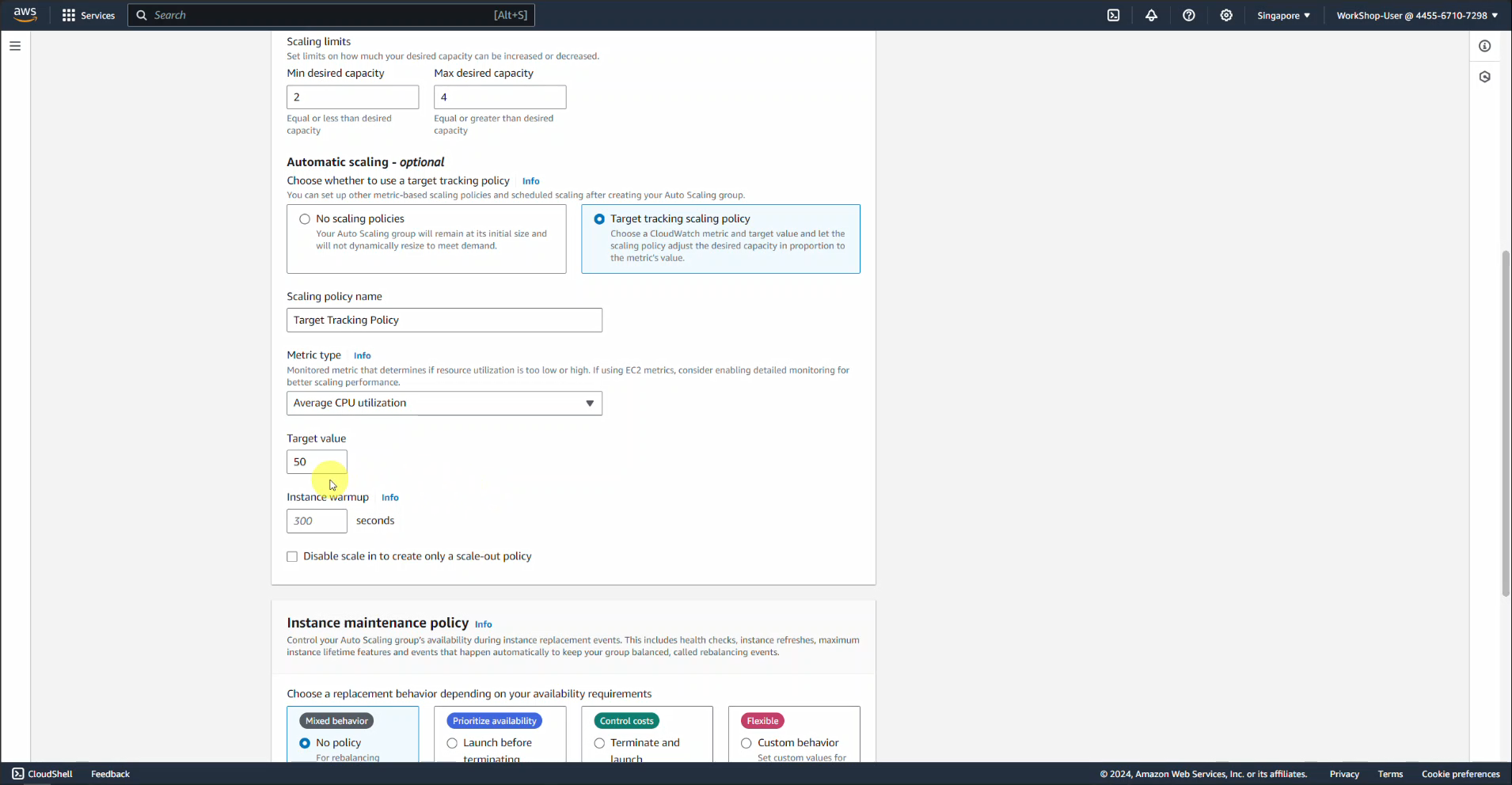
-
Leave the rest as default and select Next
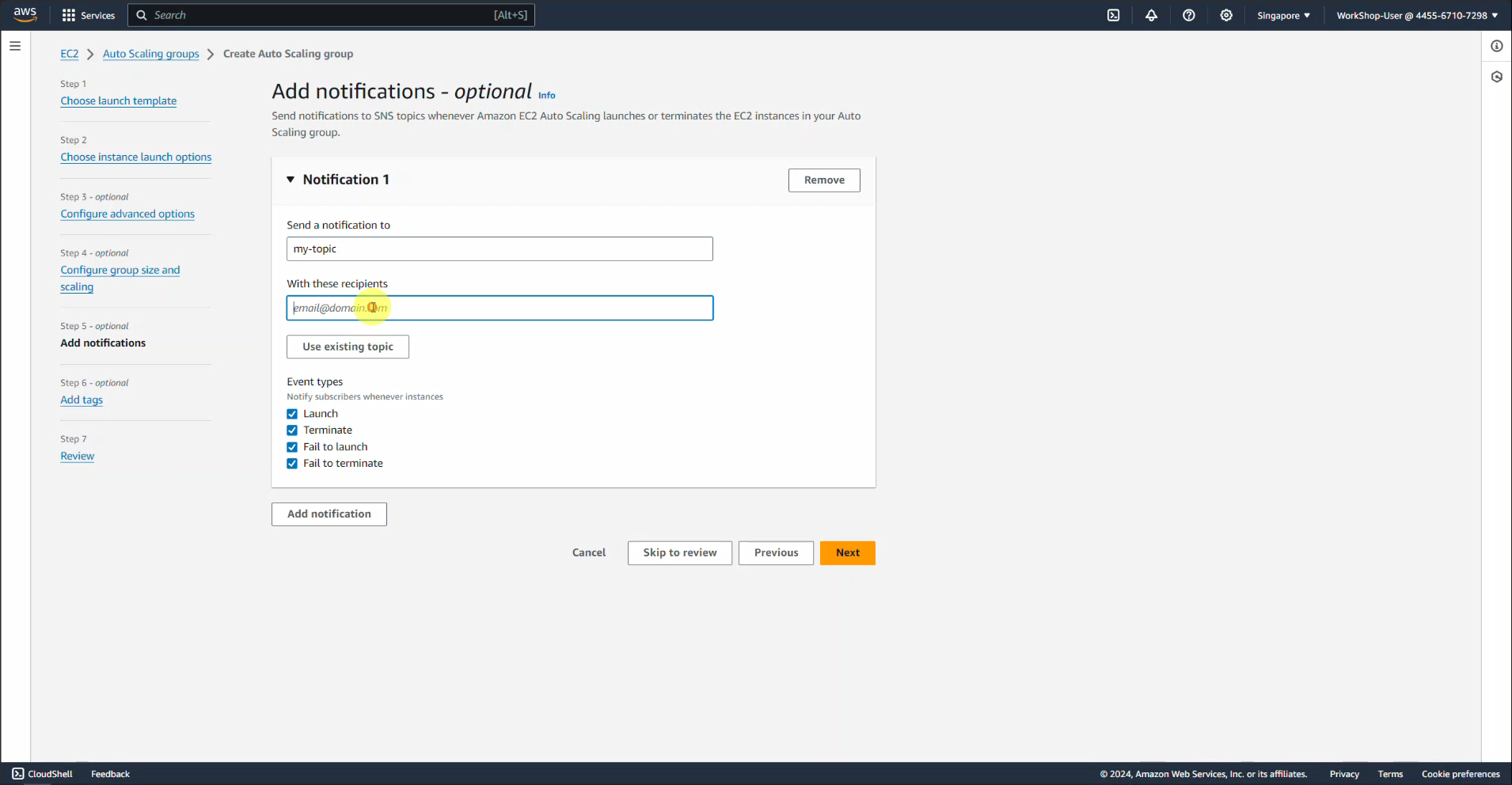
Here we will use the SNS service to send notifications via email
-
We choose Add notification
- We name the topic my-topic
- In the with these recipients section, we type the email address
- Event types , we select all
- Click Next
-
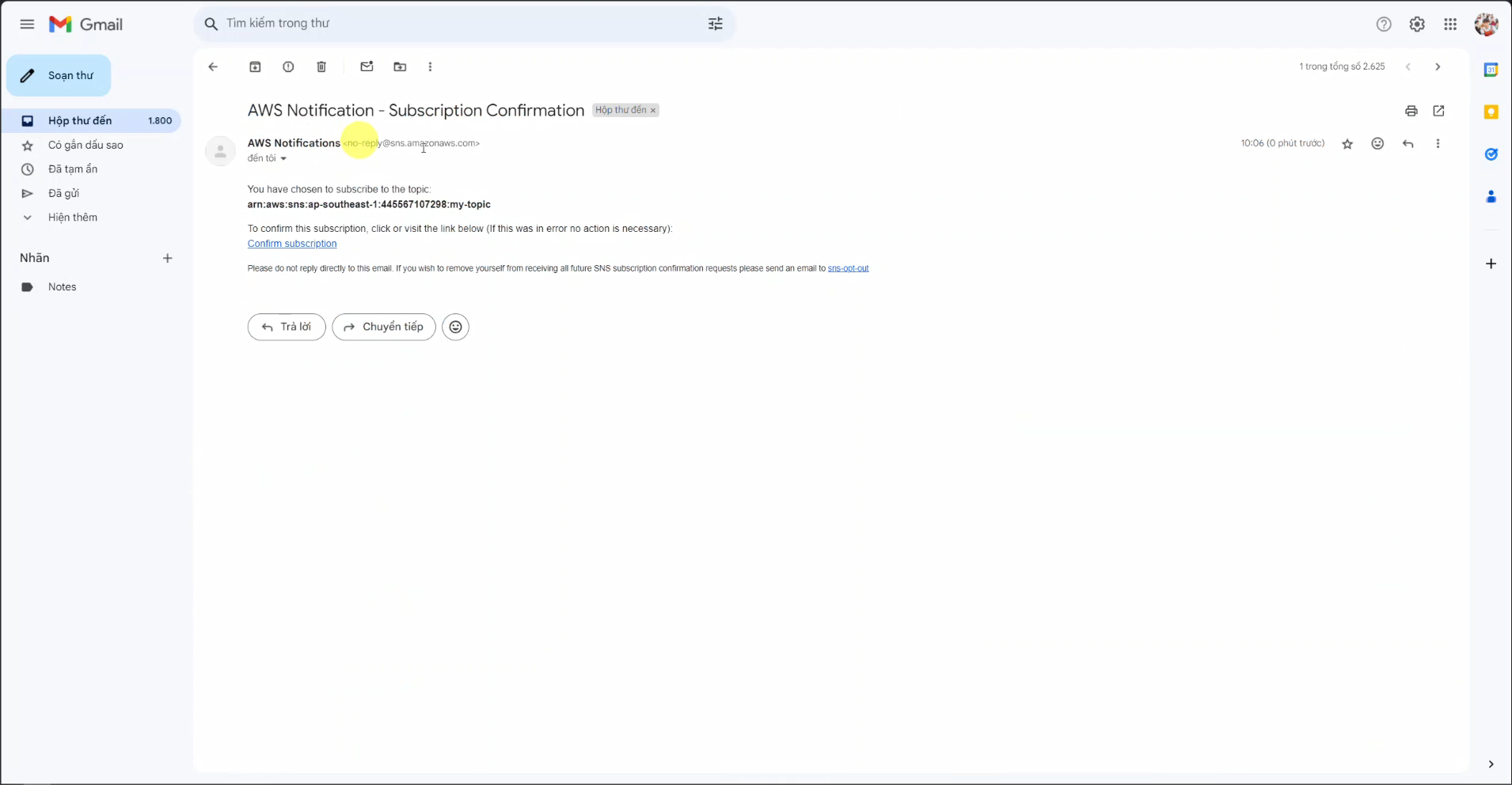
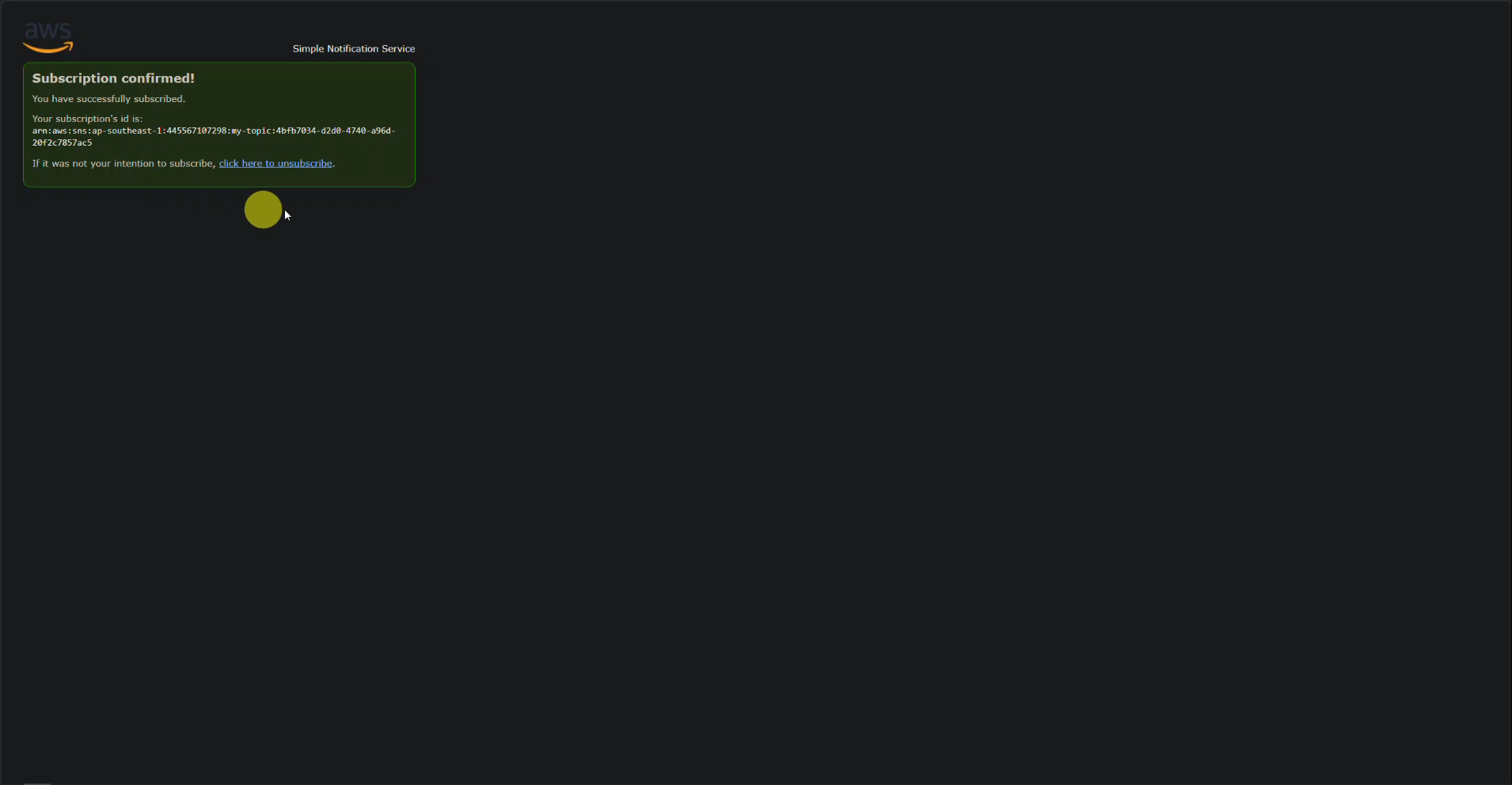
Immediately after that you can see an email from AWS sent to confirm, click on the link Confirm subscription
-
Leave the rest as default and then create the file. We will have to wait a few minutes for the Auto Scaling group to create EC2s and check their status.
Check the status of Load balancers
-
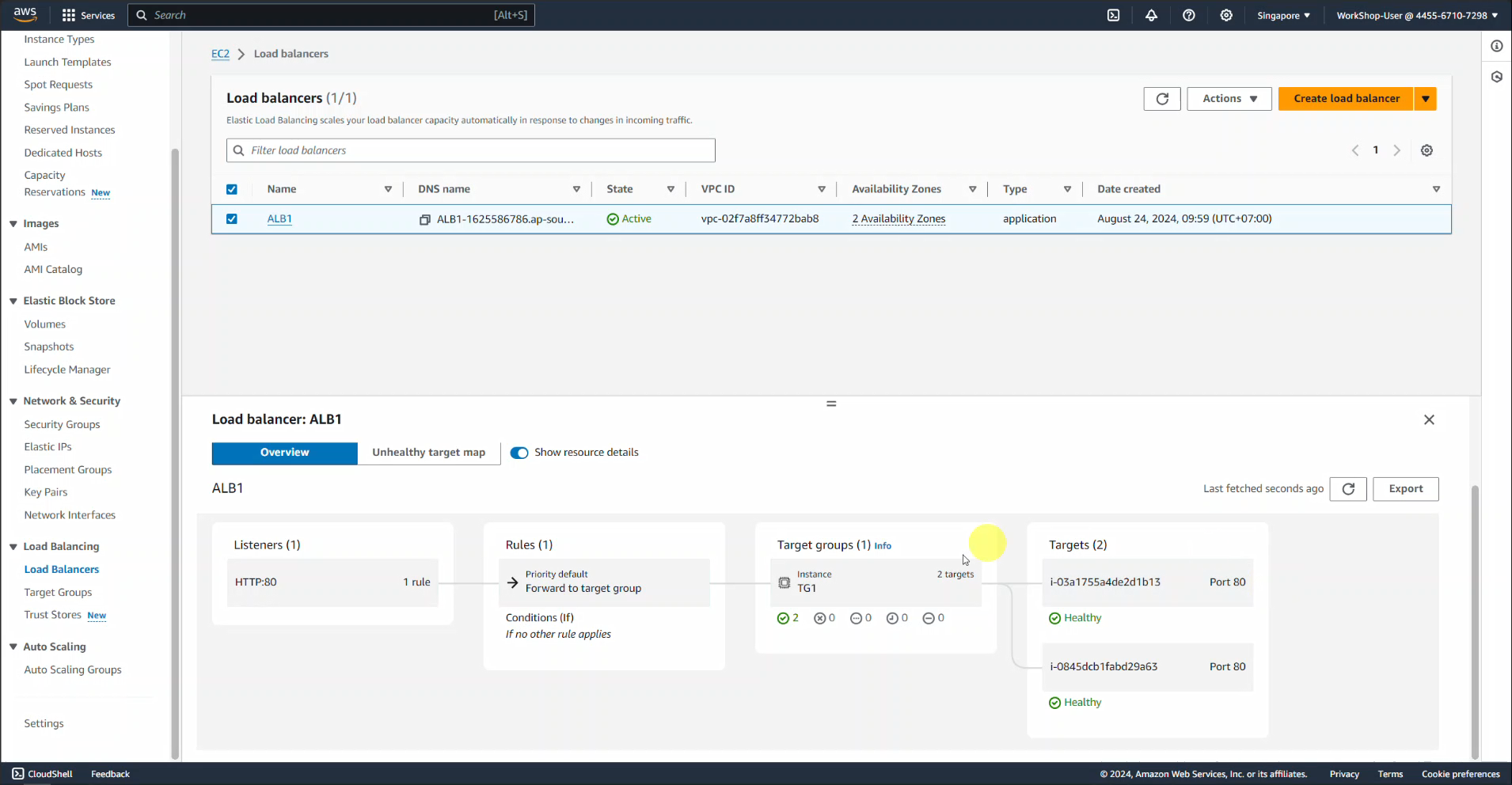
Search EC2 -> Find Load Balancer and select ALB-1
-
Find the Resource map - new section below, we can see that the Instances created by the Auto Scaling group all have the status Healthy
-
Switch to the Details tab next to it, scroll down and click copy DNS name and paste it into the browser, we will get: